


Select, Insert, Update And Delete With ASP.NET MVC 4 and SQL server database using C#:
In one of my previous article I'm explained how to create a sample project with asp.net mvc 4?. In this article we look at how to do insert, edit, update, delete with sql server database using csharp.
Getting Started with MVC4 wep application with sql server databas:
Here you can only download a sample asp.net mvc 4 project with sql server. And all the other steps like create models, controllers, views, insert, update, delete etc.. you can find Rick Anderson's article from http://www.asp.net/mvc/tutorials/mvc-4/getting-started-with-aspnet-mvc4/adding-a-controller .
I think this is a best tutorial for your first mvc 4 project.
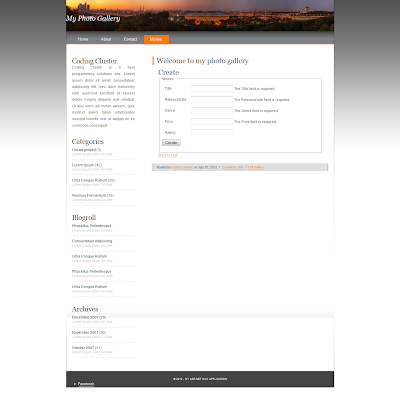
I'm created the above project just followed by Rick Anderson' articles.
Issue with Connection string in asp.net mvc 4:
If you face any problem with your default connection string (when change the data storage from .mdf to sql server). You just change your connection string with the following format.
code to resolve database connection string problems in asp.net mvc 4:
<add name="MovieDBContext" connectionString="data source=localhost;uid=sa;pwd=sa;Initial Catalog=MyFirstMVC" providerName="System.Data.SqlClient" />
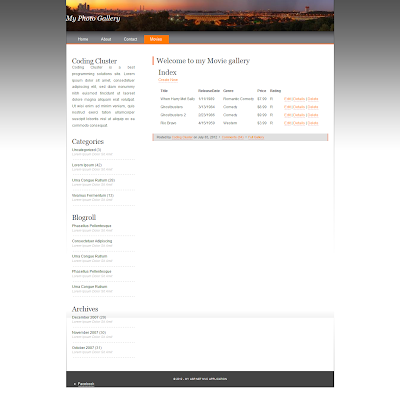 And you can download the asp.net mvc 4 web application with insert, edit, update, delete in sql server data base source code from here.
|
\|/
Don't forgot to share this knowledge to your friends. Cheers!
In one of my previous article I'm explained how to create a sample project with asp.net mvc 4?. In this article we look at how to do insert, edit, update, delete with sql server database using csharp.
Getting Started with MVC4 wep application with sql server databas:
Here you can only download a sample asp.net mvc 4 project with sql server. And all the other steps like create models, controllers, views, insert, update, delete etc.. you can find Rick Anderson's article from http://www.asp.net/mvc/tutorials/mvc-4/getting-started-with-aspnet-mvc4/adding-a-controller .
I think this is a best tutorial for your first mvc 4 project.

I'm created the above project just followed by Rick Anderson' articles.
Issue with Connection string in asp.net mvc 4:
If you face any problem with your default connection string (when change the data storage from .mdf to sql server). You just change your connection string with the following format.
code to resolve database connection string problems in asp.net mvc 4:
<add name="MovieDBContext" connectionString="data source=localhost;uid=sa;pwd=sa;Initial Catalog=MyFirstMVC" providerName="System.Data.SqlClient" />

|
\|/
Don't forgot to share this knowledge to your friends. Cheers!


 Posts
Posts


